Give AI direct access to your apps.
Dock integrates an MCP server that connects your favorite AI assistants — Claude Desktop, Codex, and others — directly to your app data. Ask them to analyze keywords, improve text, or summarize sales: AI works with your real data, no copying needed.
An AI assistant that knows your apps.
MCP (Model Context Protocol) is an open standard that lets AI assistants connect directly to your tools. Dock integrates an MCP server: this means assistants like Claude Desktop, Codex, and other compatible clients can access the ASO data, keywords, listings, and financial data of all your apps, on both App Store and Google Play. It's not a generic chatbot: it's AI working with your real numbers.
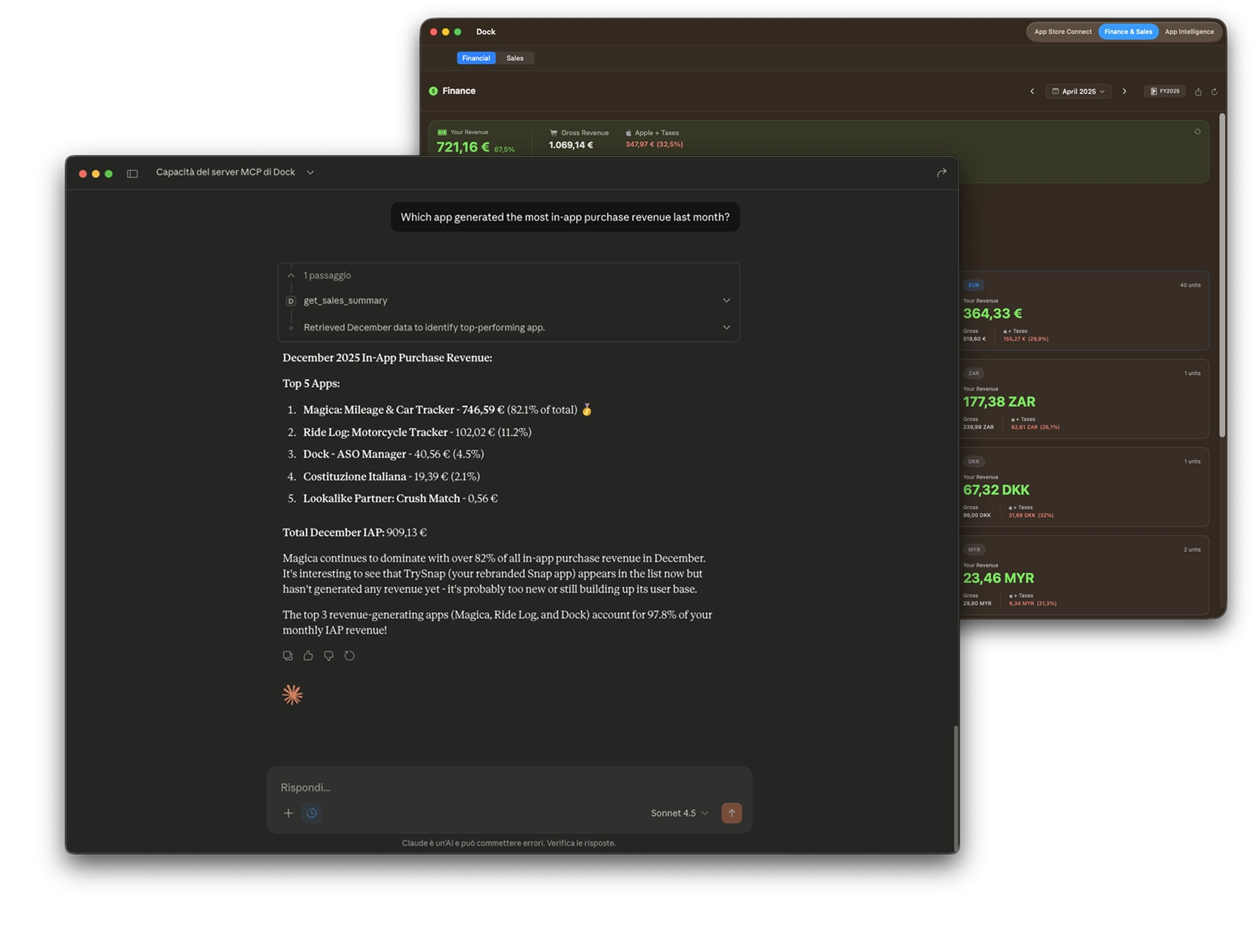
Ask whatever you want. AI has your data.
Optimize your text
"Analyze my app's title and subtitle and suggest better versions for ranking." AI reads the real data from your listing and suggests improvements based on context.
Analyze keywords
"Which of my keywords have the most opportunity? Which should I focus on?" AI accesses the Keywords Manager and gives you strategic suggestions based on KEI scores.
Write descriptions
"Rewrite my app's description for the German market, taking current keywords into account." AI reads the current description and keywords, then writes an optimized text you can save directly.
Analyze financial data
"What's my most profitable app? How much did I earn this year compared to last year?" AI accesses all Financial & Sales data from your account: revenue, sales, monthly and yearly trends. It gives you instant answers to questions that would normally require downloading reports and opening spreadsheets.
Monitor sales
"Show me a summary of January sales for all my apps." AI reads sales data for all apps in your account and presents units sold and revenue clearly, highlighting apps that are growing and those in decline.
Manage both platforms
"Compare the App Store listing text with Google Play and tell me if they're aligned." AI accesses both platforms and flags differences or inconsistencies.
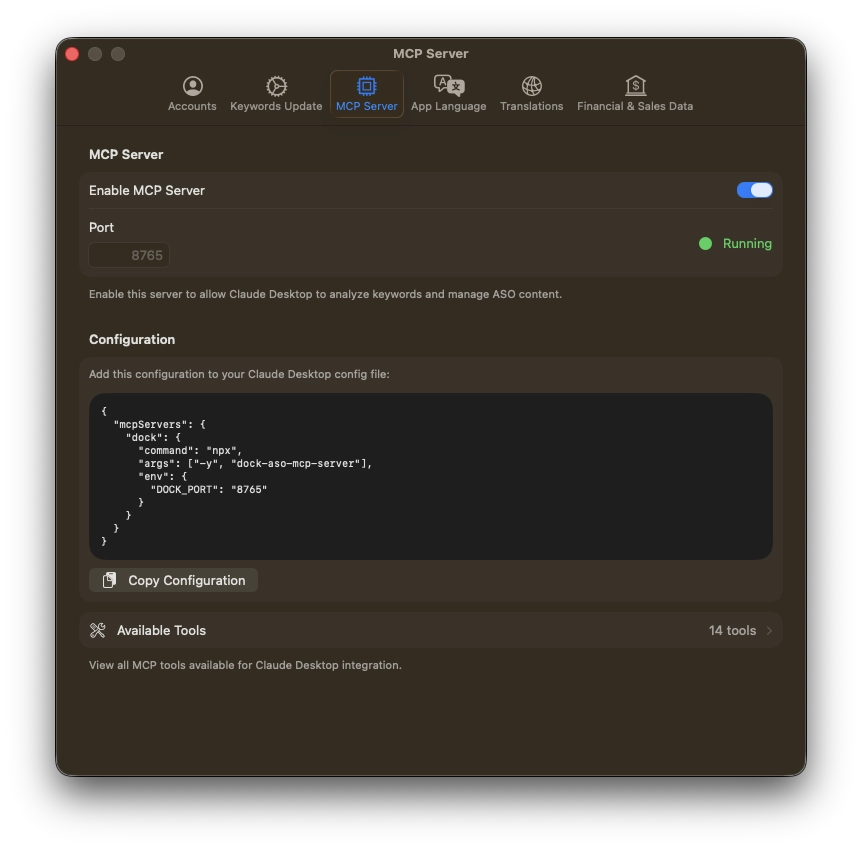
Three minutes to set up. Then it works on its own.
Open Dock Settings and enable the MCP server. Copy the automatically generated configuration. Paste it into your AI assistant's settings (Claude Desktop, Codex, or other compatible MCP client). From this moment, whenever Dock is open, your AI assistant can access your data. Everything stays local on your Mac: no data is sent to external servers from Dock.
- Open Dock Settings and enable the MCP server
- Copy the automatically generated configuration
- Paste it into your AI assistant's settings (Claude Desktop, Codex, or other compatible MCP client)
Your data stays on your Mac.
The MCP server runs exclusively locally. Communication happens between Dock and your AI assistant on your computer, without passing through external servers. You control when the server is active and when it's not. Changes suggested by AI must be manually saved in Dock before being published to the stores.
Not your typical "AI-powered."
Most ASO tools use AI to generate generic text. Dock does something different: it gives AI direct access to your real data. AI doesn't make things up: it reads your keywords, your rankings, your sales, and your listings. The suggestions you receive are based on your specific situation, not generic templates.
Your personal ASO assistant is waiting.
The MCP server is included in the free version. Compatible with Claude Desktop, Codex, and other MCP clients.