Google Play Console, without the console.
Edit listings, manage releases, upload screenshots, and reply to reviews for your Android apps. All from Mac, all with a draft system that never loses your work.
Free Download for MacEdit, save the draft, publish when you're ready.
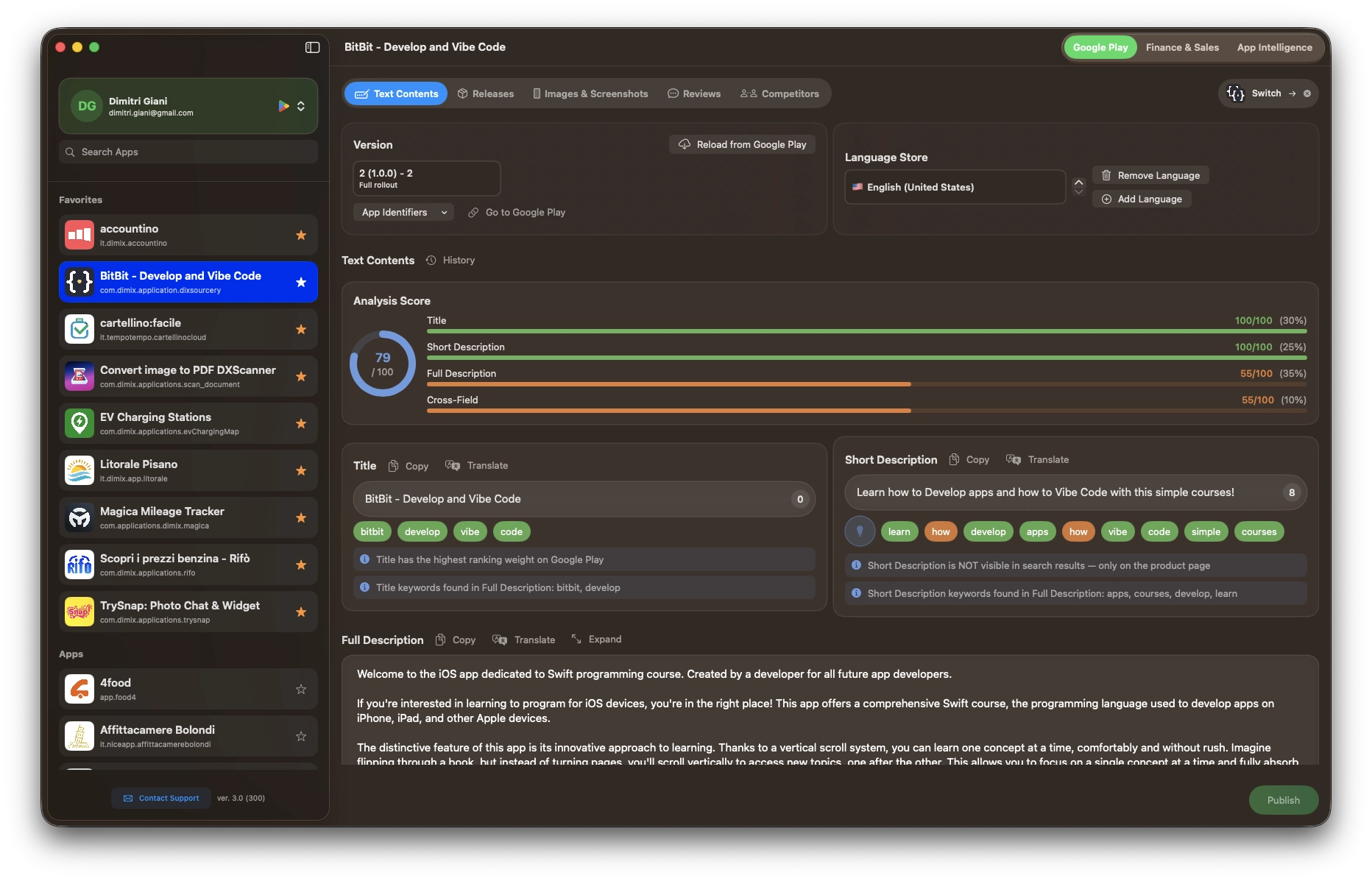
Edit title, short description, and full description for every language. Every change is automatically saved as a local draft: you can close the app, switch sections, or move to another app without losing anything. Changes are published to Google Play only when you decide.
- Copy a field to all languages, or translate everything with one click using AI
- Data analysis with targeted suggestions to improve indexing
- Add or remove languages directly from Dock
- Visual indicators showing which sections have unpublished changes
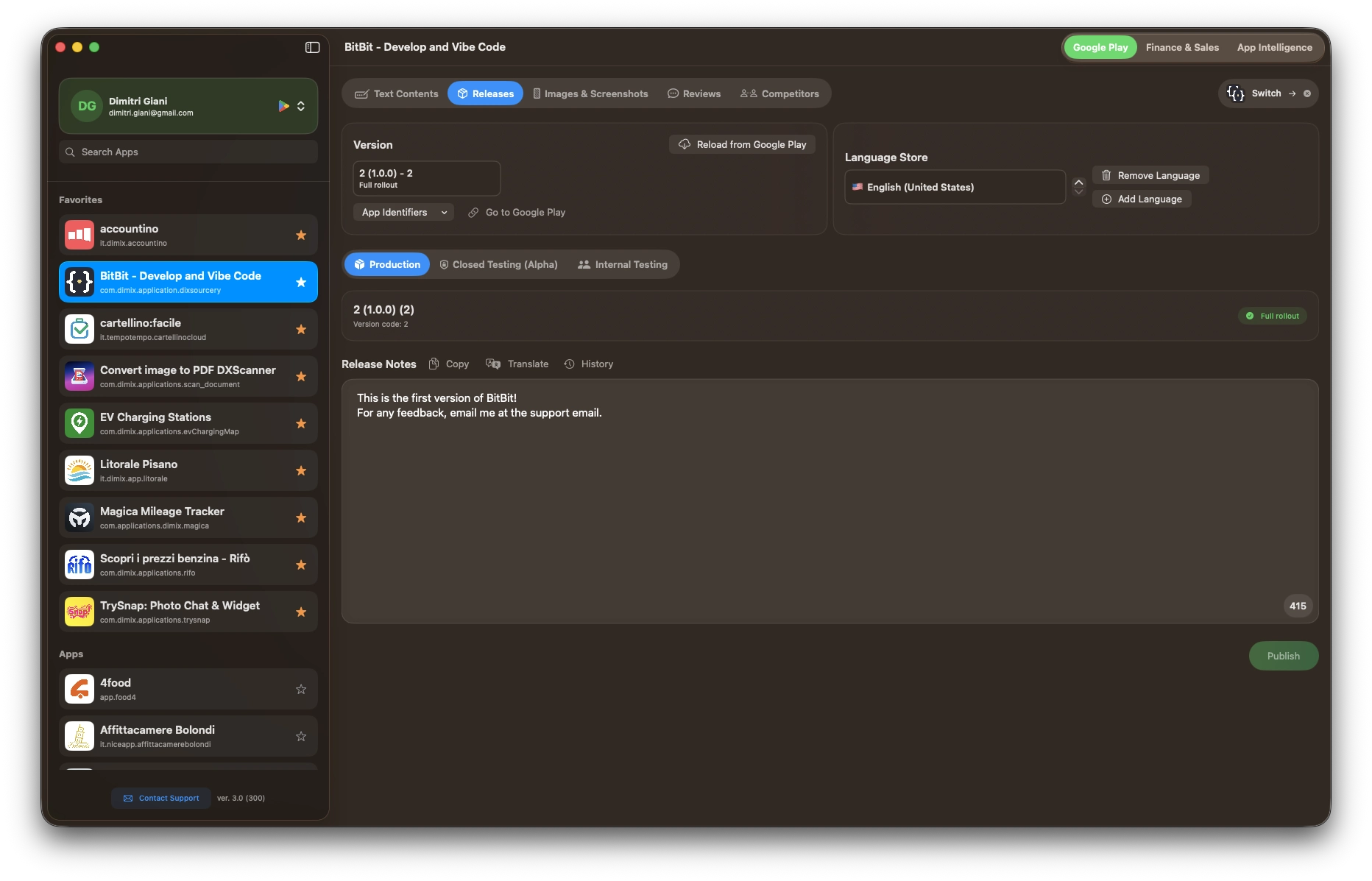
Release notes in every language? One click.
View all your app's tracks (production, closed testing, internal testing) and edit release notes for every language. Copy or translate notes into all languages with one click. Like listing text, everything is saved as a draft and published only when you're ready.
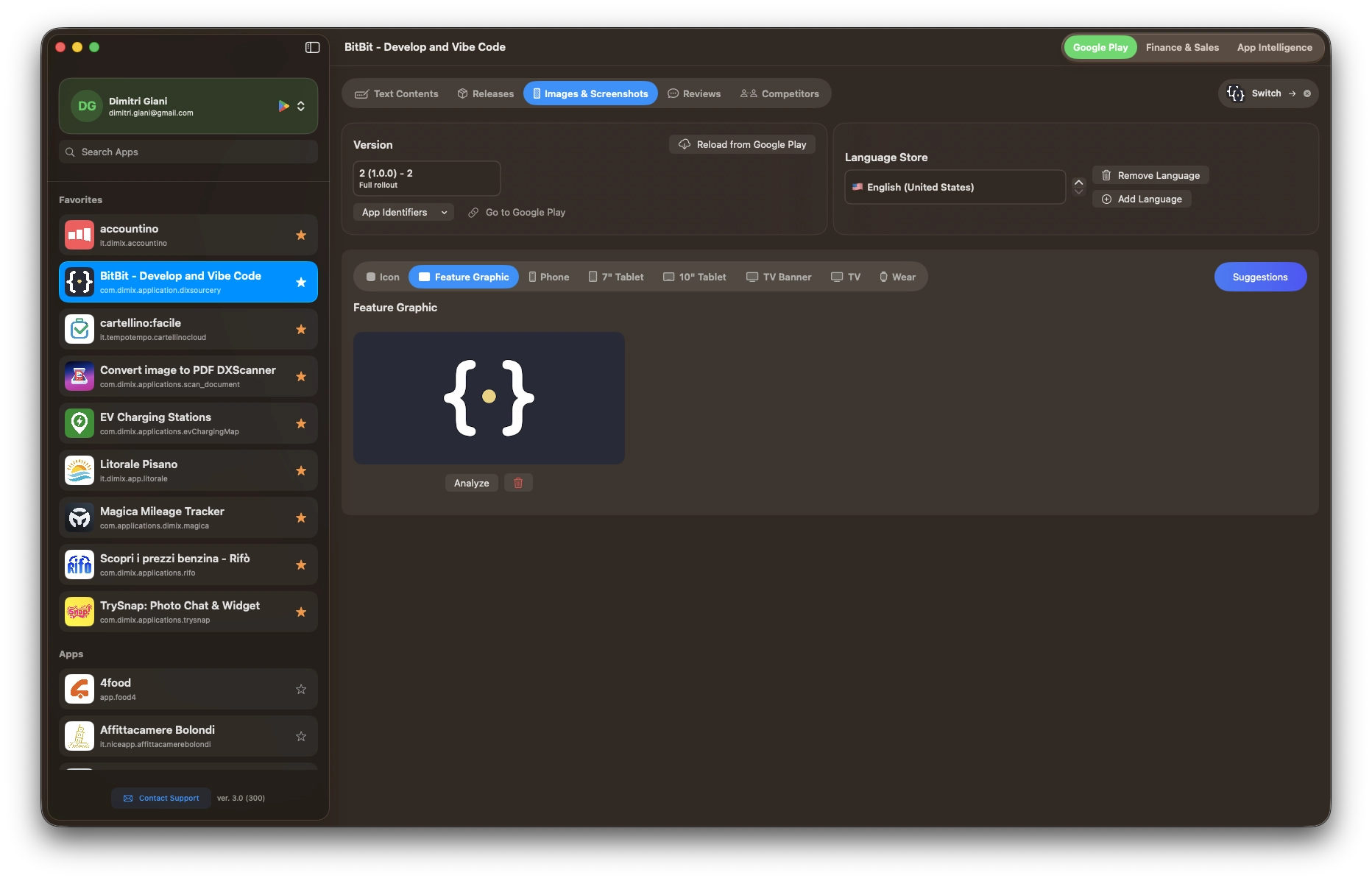
All your visual assets in one place.
Manage all image types for your app: icon, feature graphic, screenshots for phone, tablet, TV, and Wear. Upload new files and delete existing ones with undo support, so you can cancel an operation before publishing.
- AI analysis for every screenshot with visual impact assessment and alternative text suggestions
- Built-in guide with technical requirements, mandatory rules, and best practices to create images that comply with Google Play guidelines
- All changes are accumulated as drafts and published together in a single operation
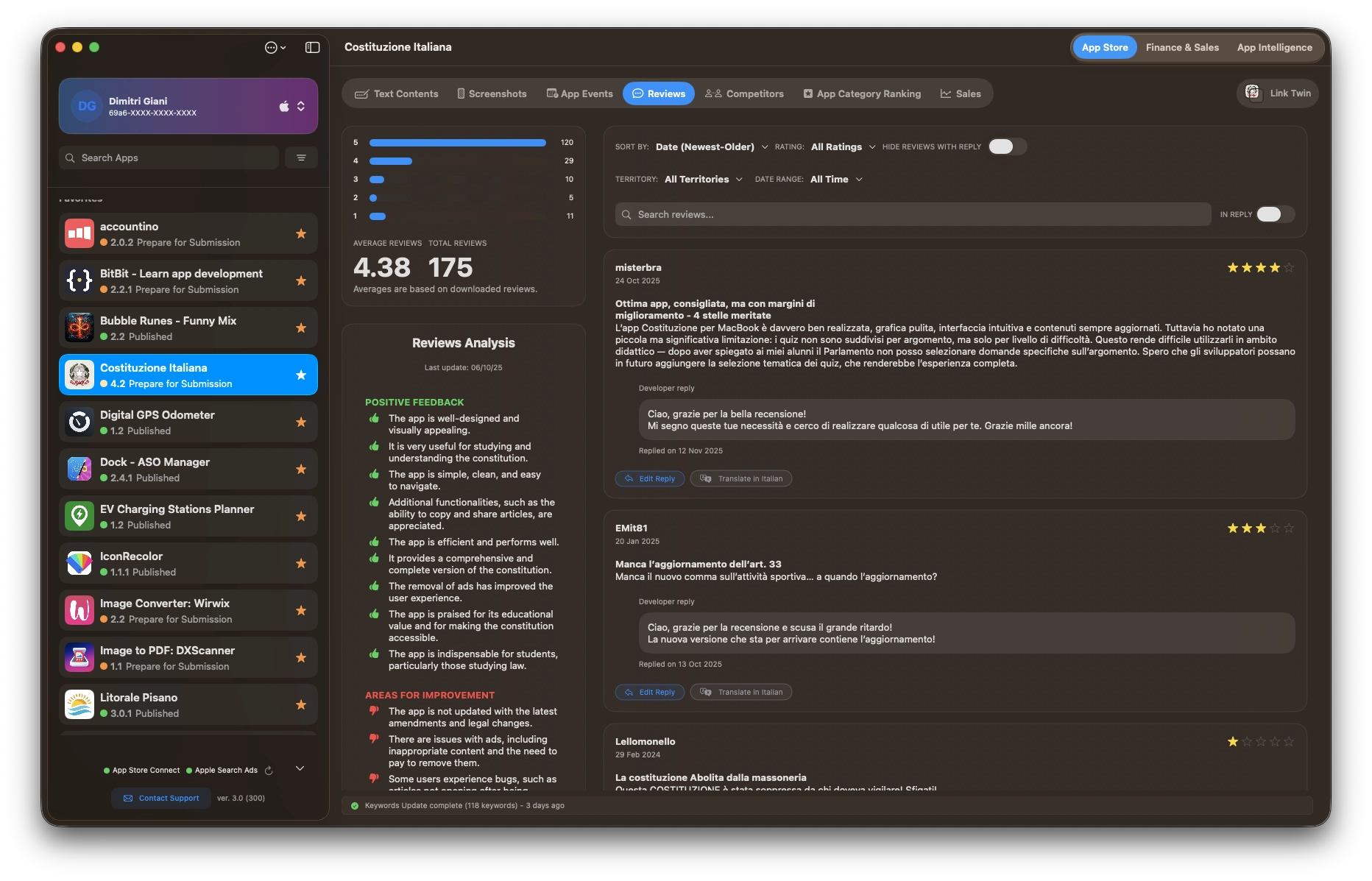
Your users are talking. You reply.
View all your app's reviews on a single screen. Reply directly, edit replies, and use filters to find what you're looking for.
- Filter by rating and sort by date or rating
- Translate reviews into any language
- AI sentiment analysis: automatic summary of strengths and weaknesses to understand what your users think
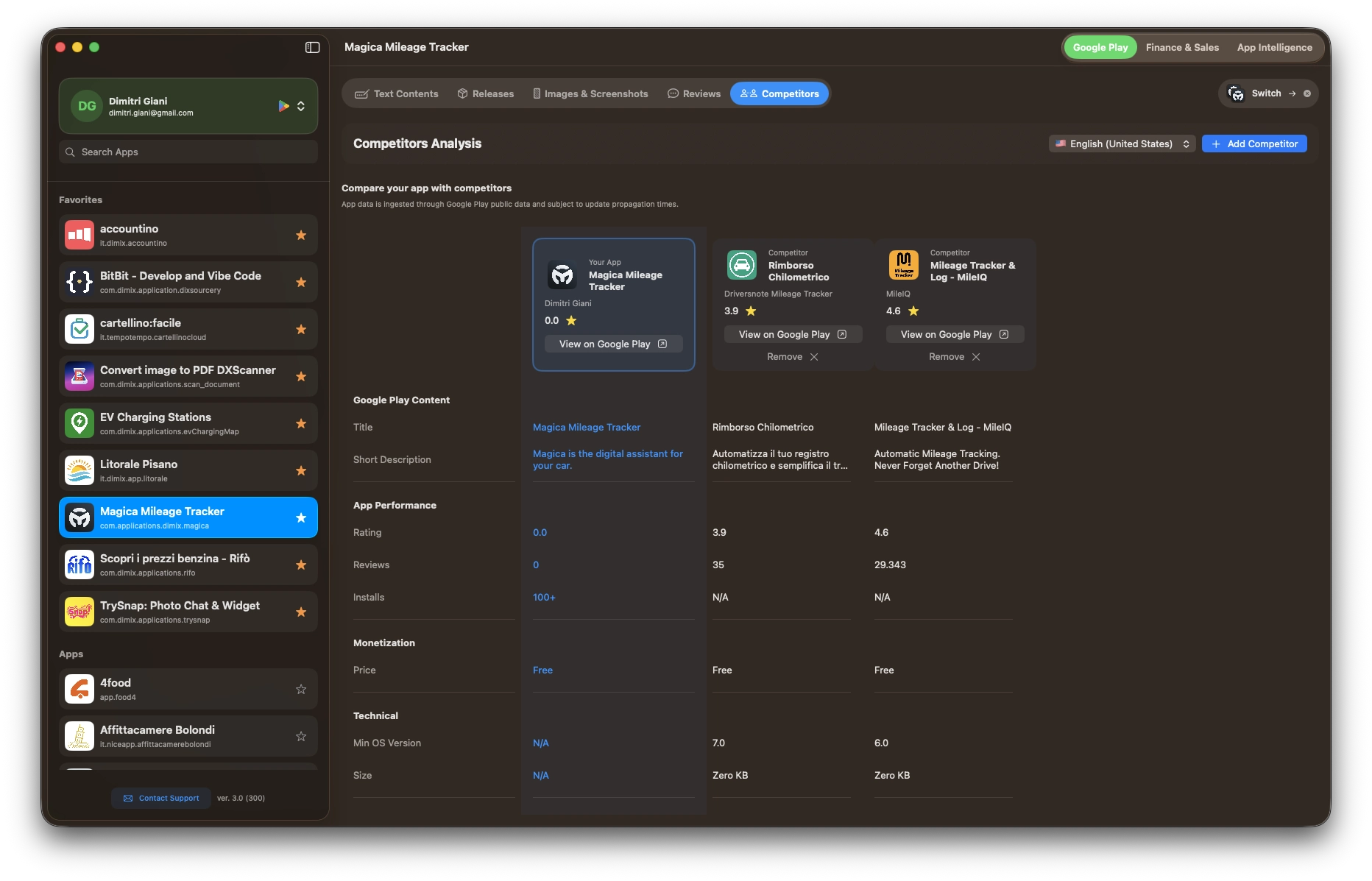
Keep an eye on the competition.
Search for your competitors' apps on Google Play and compare them with yours. Analyze differences in text and positioning to find opportunities in your market.
No change is ever lost. Ever.
Dock automatically saves every change as a local draft, whether it's text, release notes, or images. You can close the app, restart your Mac, or switch to another app: when you come back, everything is exactly where you left it. Orange dots in the sidebar and tabs always show you which sections have pending changes. You publish only when you're ready, with one click.
Managing your Android apps has never been this simple.
Free to start. Premium when you're ready.
Free Download for Mac